Splash Screen
Creating Launch screen through storyboard
-
Choose launch screen template
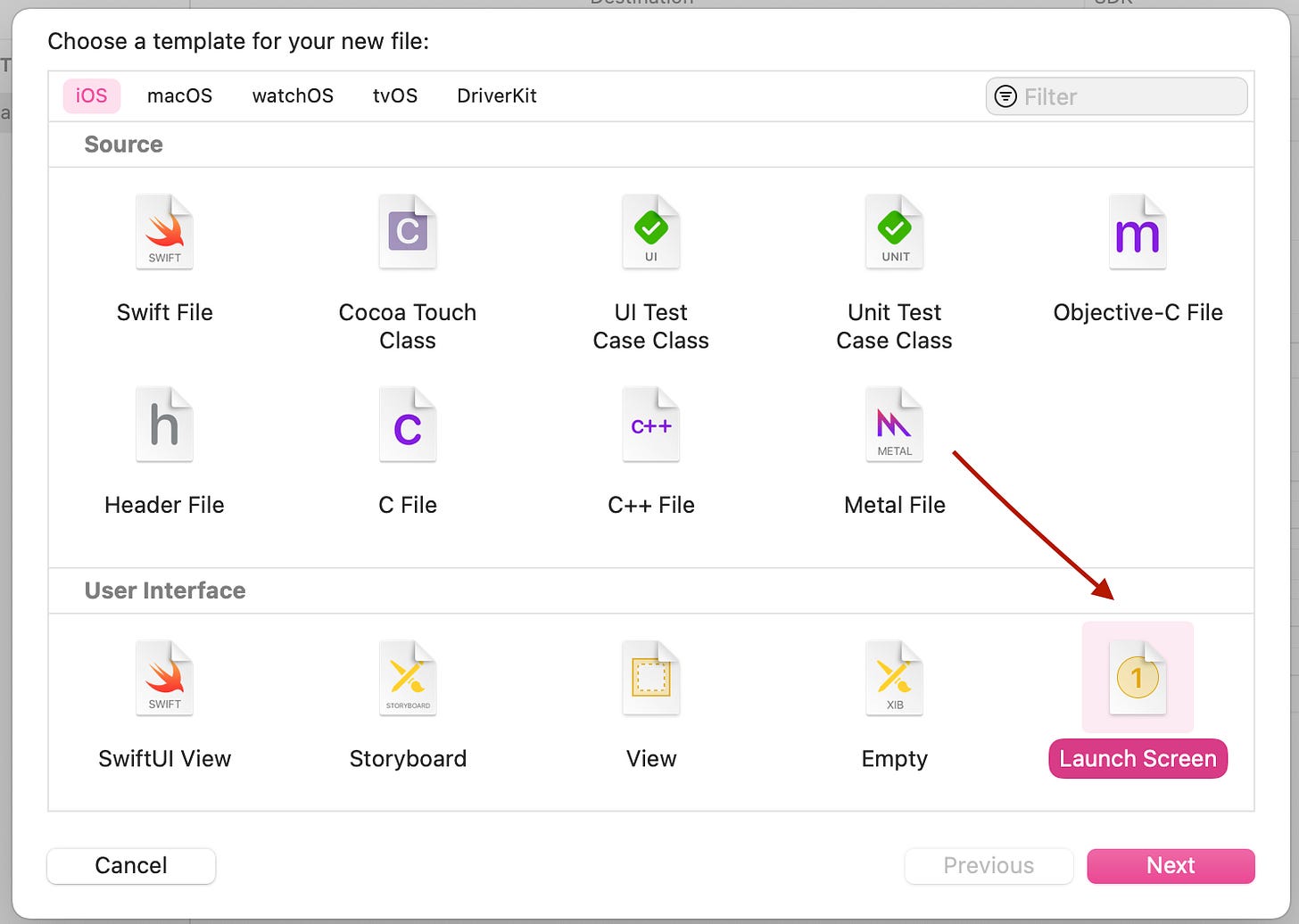
-
If launch screen contains image, then
-
In assets.xcassets, load desired icons
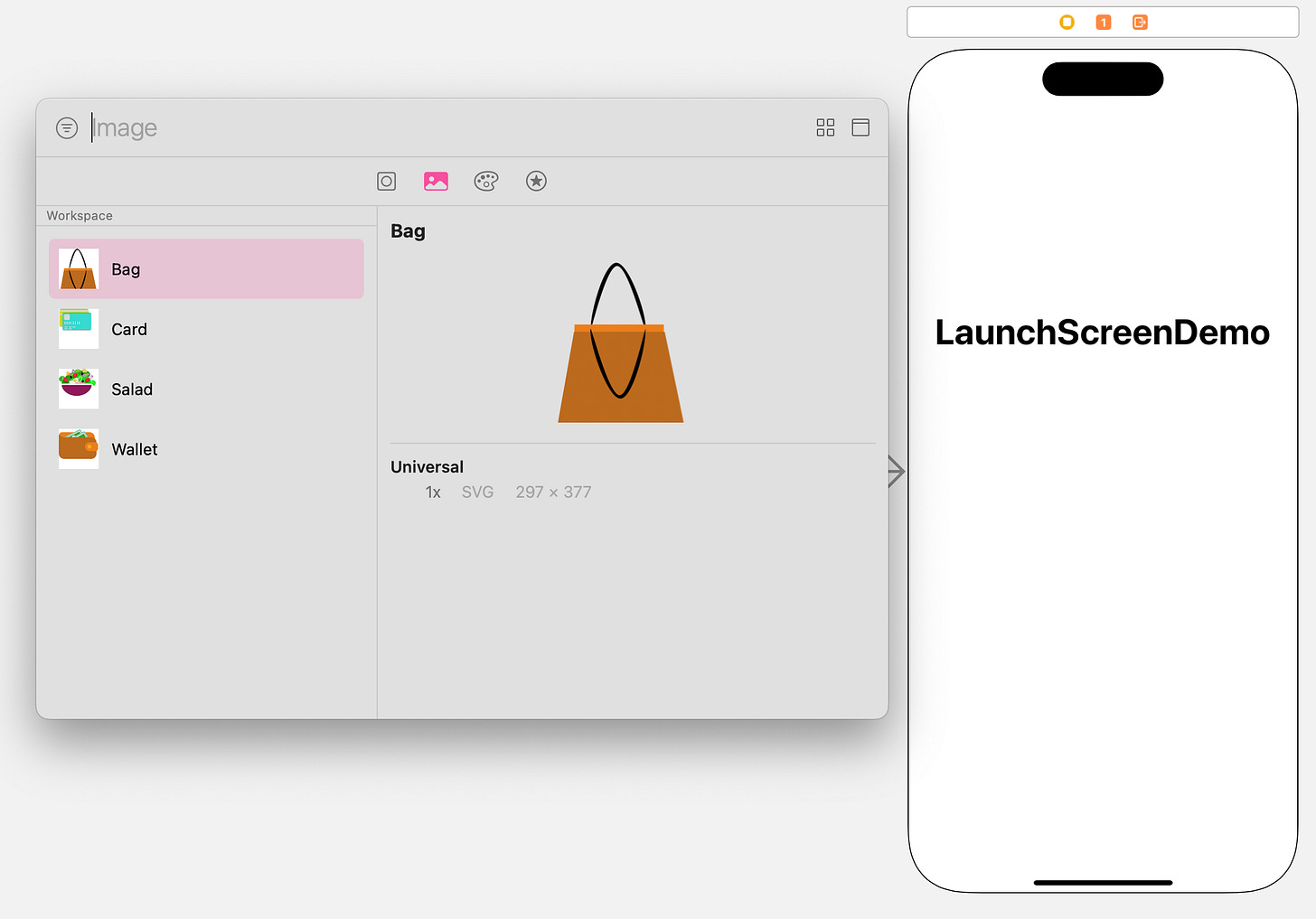
-
-
Use provided views to build up the screen
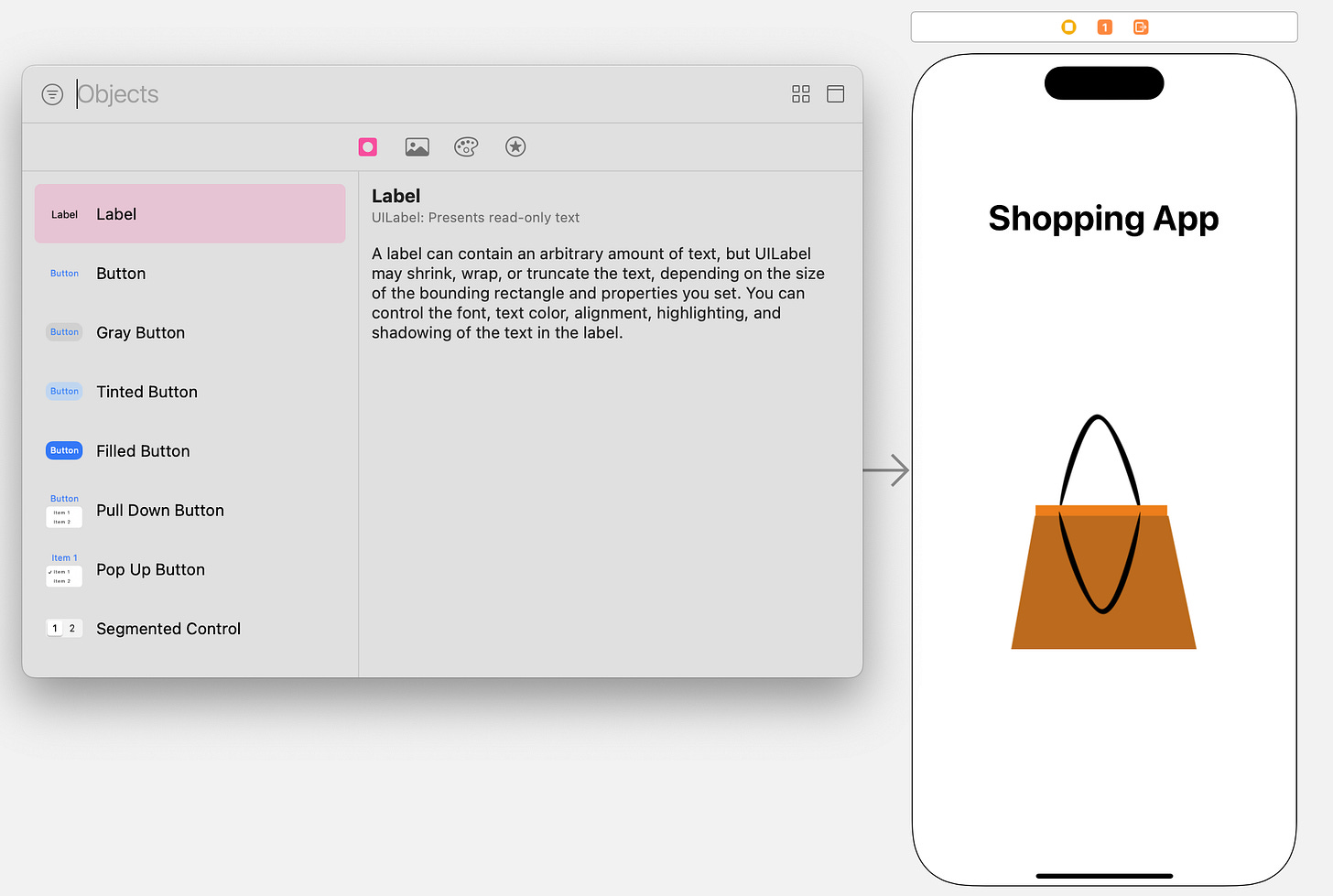
-
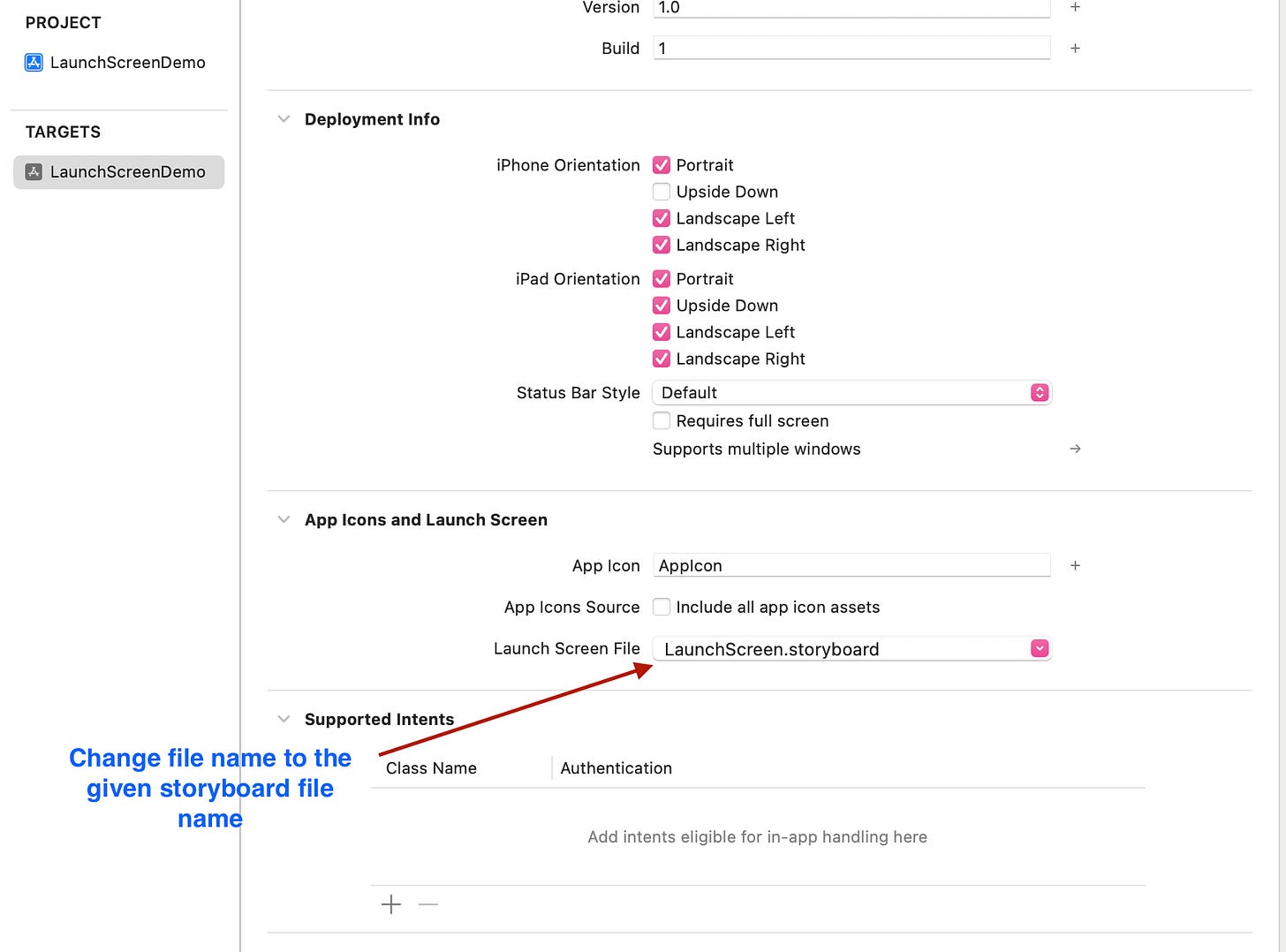
Go to app targets → App Icons and Launch Screen
-
Select the storyboard file name
Creating Launch screen programmatically
1. New SwiftUI View template
2. In the new file
struct LaunchScreen: View {
    @State private var isActive = false
    var body: some View {
        ZStack {
            if isActive {
                ContentView()
            } else {
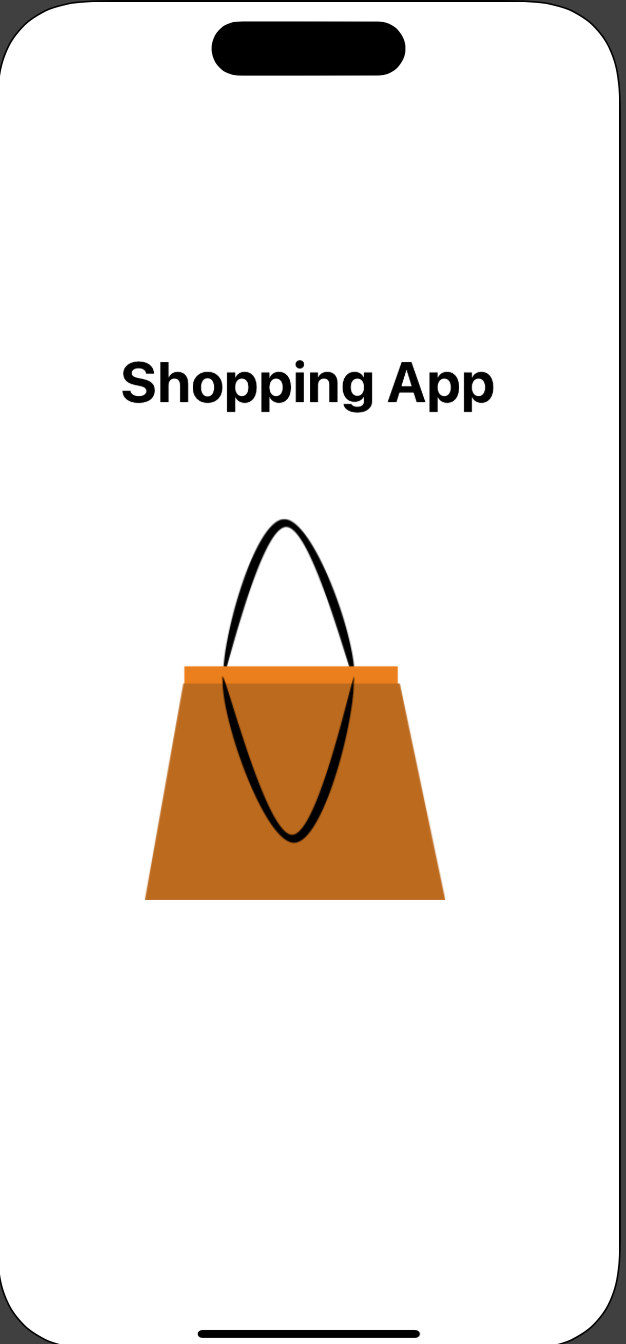
                VStack(alignment: .center) {
                    Text("Shopping App")
                        .font(.title)
                        .bold()
                    Image("Bag")
                }
            }
        }
        .onAppear {
            DispatchQueue.main.asyncAfter(deadline: .now() + 3) {
                self.isActive = true
            }
        }
    }
}
3. In main file
-
import SwiftUI

@main
struct LaunchScreenDemo: App {
    var body: some Scene {
        WindowGroup {
            LaunchScreen()
        }
    }
}
- Launch screen with animation
struct LaunchScreen: View {
       // Initial position above the screen
    @State private var firstImageOffset: CGFloat = -100
       // Initial position below the screen
    @State private var secondImageOffset: CGFloat = UIScreen.main.bounds.height
    @State private var showThirdImage = false
    @State private var isActive = false

    var body: some View {
        ZStack {
            if isActive == true {
                ContentView()
            } else {
                GeometryReader { geometry in
                    ZStack {
                        Image("ImageFromAbove")
                            .resizable()
                            .frame(width: 210, height: 260)
                            .offset(x: geometry.size.width/2 - 100, y: firstImageOffset)
                            .onAppear {
                                withAnimation(Animation.easeInOut(duration: 2)) {
                                    firstImageOffset = geometry.size.height / 2 - 100 // Center of the screen
                                }
                            }
                        Image("ImageFromBelow")
                            .resizable()
                            .frame(width: 210, height: 260)
                            .offset(x: geometry.size.width/2 - 100, y: secondImageOffset)
                            .onAppear {
                                withAnimation(Animation.easeInOut(duration: 2)) {
                                    secondImageOffset = geometry.size.height / 2 - 100 // Center of the screen
                                    DispatchQueue.main.asyncAfter(deadline: .now() + 3) {
                                        showThirdImage = true
                                    }
                                }
                            }
// Sometimes this is not necessarry, it all depends how the two images above are colliding
                        if showThirdImage {
                            Image("FinalImage")
                                .resizable()
                                .frame(width: 200, height: 200)
                                .offset(x: geometry.size.width/2 - 100, y: geometry.size.height / 2 - 100)
                        }
                    }
                }
            }
        }
        .onAppear {
            DispatchQueue.main.asyncAfter(deadline: .now() + 3) {
                self.isActive = true
            }
        }
    }
}