Toolbar in SwiftUI
A toolbar is a means to have immediate access to commands.
Using a toolbar
A toolbar can be attached to any kind of view builder in swift, e.g to a list
.toolbar has as content ToolbarItem, ToolbarItemGroup
Both ToolbarItem and ToolbarItemGroup takes two parameters: placement and content
a. placement → where to place the items: either in toolbar or navigation bar
-
.navigationBarTrailing
-
.navigationBarLeading
-
.bottomBar
-
.tabBar
-
.automatic
-
.windowToolbar
b. content → the items of the toolbar
-
For one item → ToolbarItem
.toolbar {
    ToolbarItem(placement: .navigationBarTrailing) {
	Button {
	  print("New button pressed")
	} label: {
	  Image(systemName: "plus")
	}
    } // ToolbarItem
}//toolbar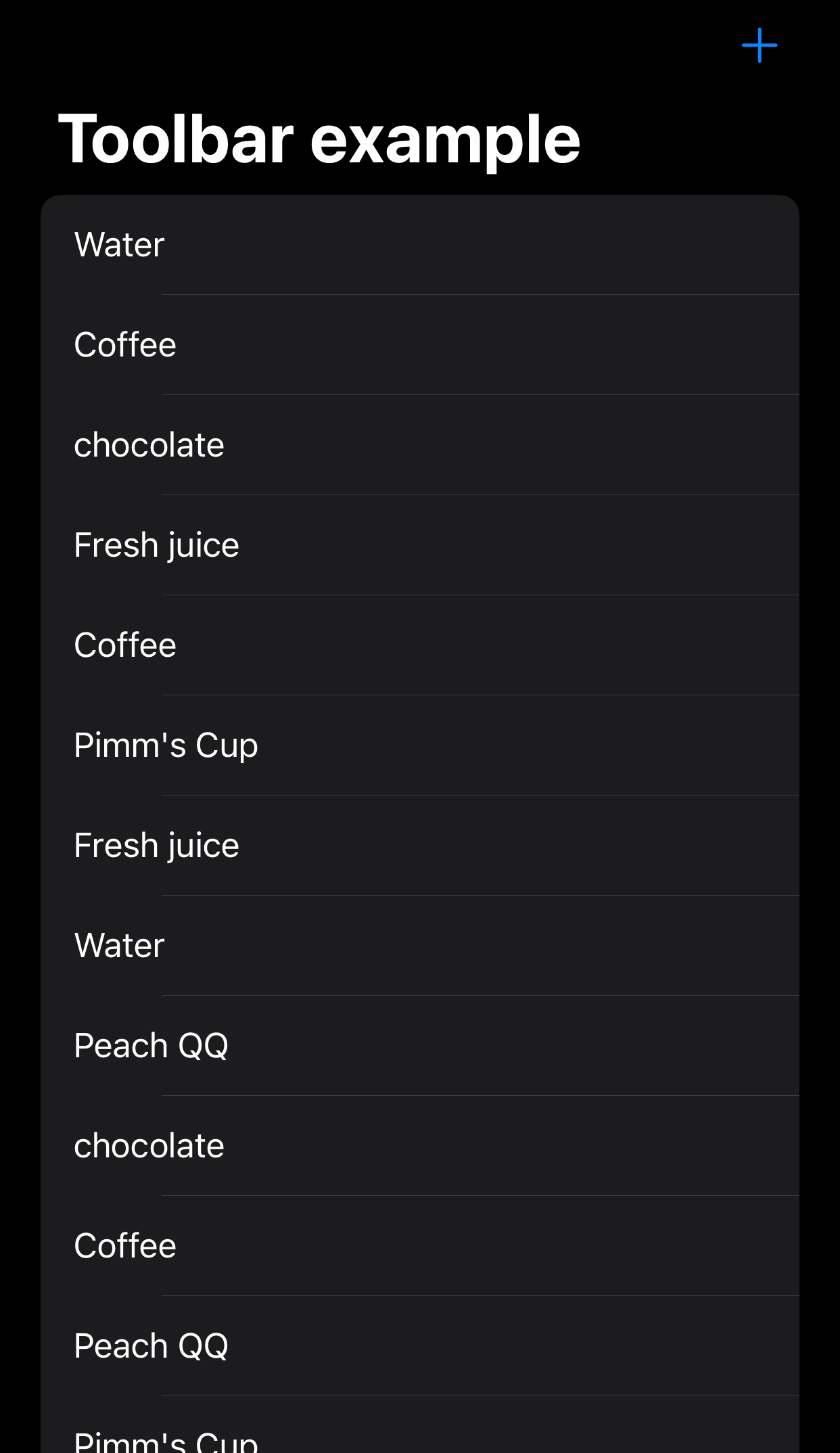
One item toolbar
-
For more than one item → ToolbarItemGroup
.toolbar {
	ToolbarItemGroup(placement: .bottomBar) {
	      // Button one
	   Button {
              print("Home button pressed")
	   } label: {
	      Image(systemName: "house")
	   }

	   Spacer()

	     // Button two
	    Button {
		print("Camera button pressed")
		} label: {
		  Image(systemName: "camera")
		}

		Spacer()

		// Button three
	     Button {
		print("Settings button pressed")
	     } label: {
		Image(systemName: "gear")
	     }
} // ToolbarItemGroup
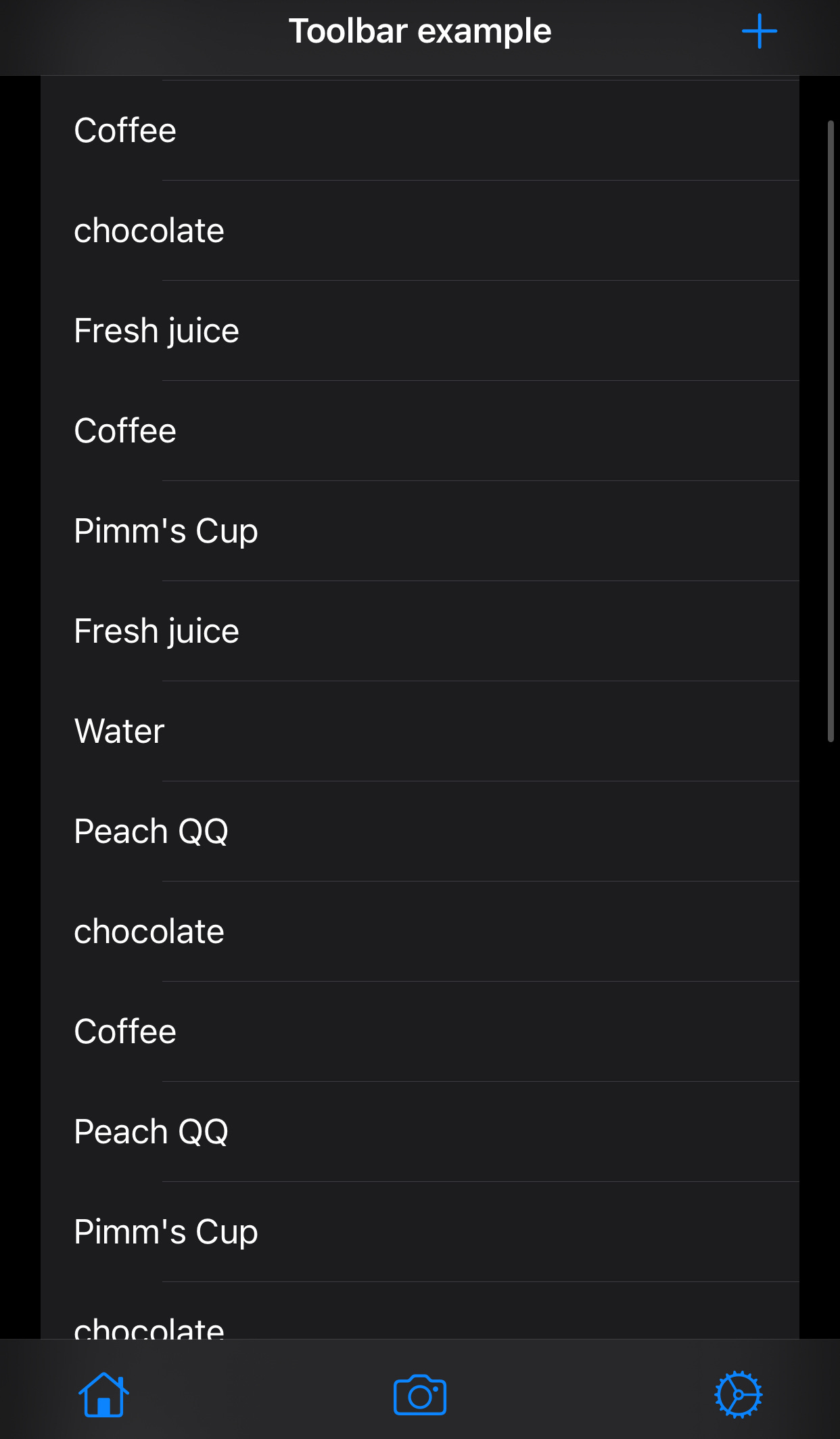
More than one item toolbar
Changing colors of the toolbar item
- Using .accentColor [will be deprecated in future version of iOS, Use the asset catalog’s accent Color or ViewTint(_:) instead]
.toolbar {
   ToolbarItem(placement: .navigationBarTrailing) {
     Button {
	print("New button pressed")
     } label: {
	Image(systemName: "plus")
     }//label
   } // ToolbarItem

   ToolbarItemGroup(placement: .bottomBar) {
	// Button one
     Button {
	print("Home button pressed")
     } label: {
	Image(systemName: "house")
     }
     Spacer()

	// Button two
     Button {
	print("Camera button pressed")
     } label: {
	Image(systemName: "camera")
     }
     Spacer()

	// Button three
      Button {
	print("Settings button pressed")
      } label: {
	Image(systemName: "gear")
				}
      } // ToolbarItemGroup
}//toolbar
  .accentColor(.red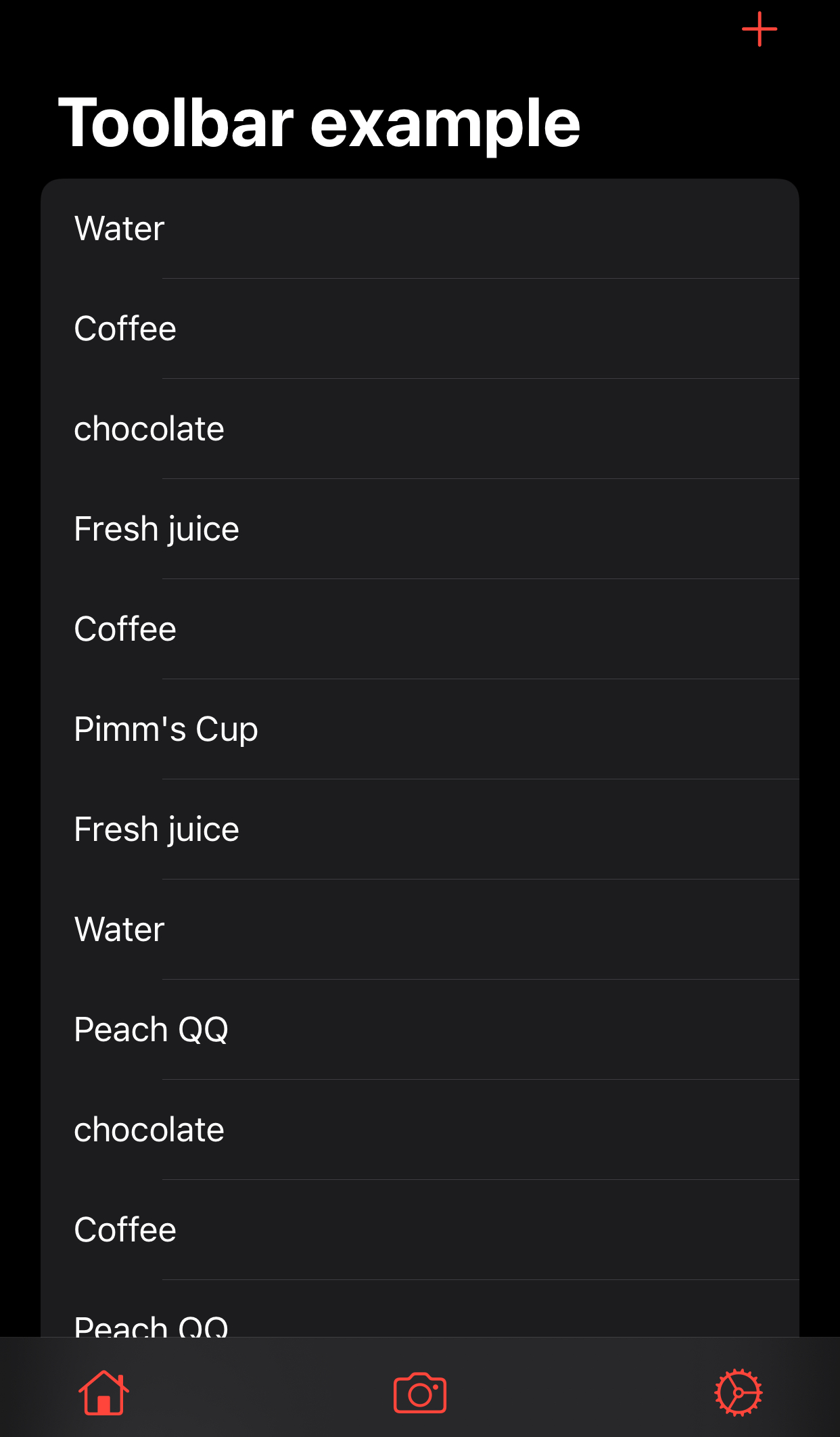
Colored items toolbar
Visibility of toolbar
[iOS 16]
Button {
   showToolbar.toggle()
} label: {
   Image(systemName: "pencil.tip.crop.circle")
}
 .toolbar(showToolbar ? .visible : .hidden, for: .bottomBar)
When to use a toolbar?
Toolbar v/s tab view
Both a toolbar(placement: .bottomBar) and a tab bar are placed at the bottom of the app screen. Each containing buttons for performing specific actions and are visually similar.
So when to use either?
A toolbar contains buttons for performing actions relevant to the current view or current content within that page.
A tab bar provides the ability to navigate between different sections/pages of an app.
toolbar → perform action
tab bar → navigation